Today’s Binder is my Blog & Small Business Binder. If you don’t have a blog, no problem! Use it for any Small Business that you run, from an Etsy shop to a MLM or any at-Home Sales Business! The possibilities are endless!
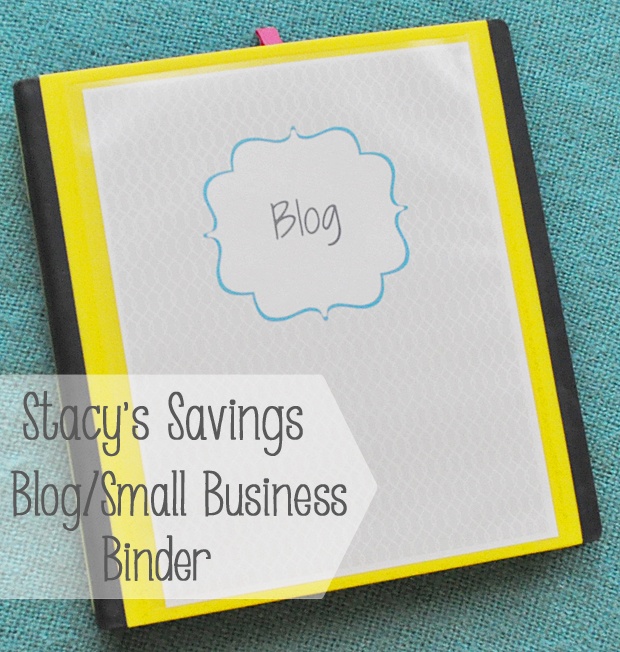
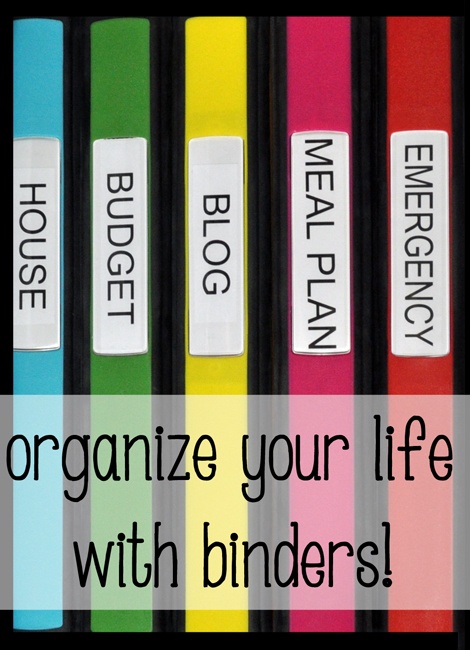
This is part of my Organize Your Life With Binders Series! So far, I’ve shown you my Budget Binder, To Do Binder, Emergency Binder & Meal Planning Binder.
Supplies
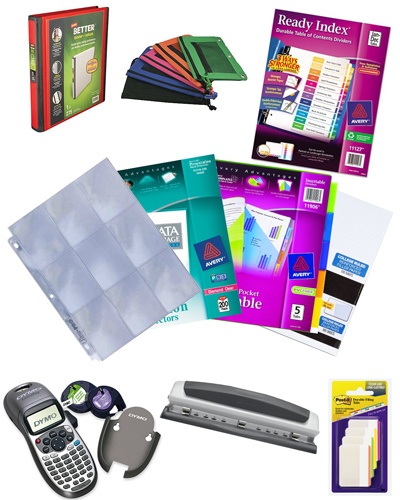
To make my Blog Binder, I used these supplies
- 1″ Staples Better Binder
- Avery Big Pocket Dividers – 5 Tab
- 2 Sets of Avery Monthly Tabs
- Staples Pencil Pouch
- Avery Heavyweight Page Protectors
- Baseball Card Pages
- Post-it Tabs
- Notebook Paper
- Three Hole Punch
- Label Maker
I used a yellow binder for my Blog Binder. Staples has a ton of colors and sizes in their Better Binder Line. They really are better binders. There’s no scratchy corners and the spine doesn’t fall apart. I love them!
I printed a basic “Blog” in 46 pt font for the spine window. This way the title is easily visible from a distance and matches my other binders.
Small Business Binder Contents
I keep a pencil pouch in each binder so that I always have a pencil/pen/eraser or even thumb drives. Back to School is a great time to stock up on free pencils & pens! It’s not just for school kids!

I created a set of cohesive printables for each binder that was modern, yet simple. I did slip a cover page in a page protector just like in the other binders.
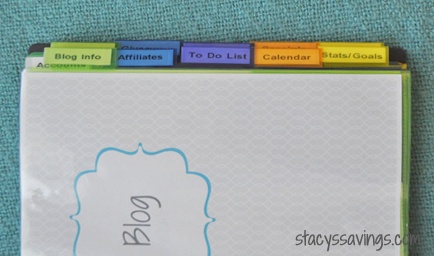
There are a lot of sections in this binder, so bare with me!
Info & Accounts Section


The first section of the Blog Binder is the Blog Info Section. This is where I keep all of the information about my website & its design: from fonts to color codes to typical image sizes. Anything that I need to remember to make my blog look uniform, it goes here. That way, I don’t forget what width size I use for sidebar images or whatever. I also have websites, user names and passwords for accounts associated with my website. Like GoDaddy, Picket Fences or Google Analytics. I have quick access to everything.
Affiliate & Sponsored Content Section

The next section is my Affiliate section. If you don’t have a blog, but are using this for a Small Business, this could be your vendors or customers. I use Post It Tabs inside this section to break it down further. The first page in this section is Affiliate Info. It’s where I keep the log in websites, user names and passwords. You could put your contact person here. I also keep a running tally of total earnings for each site. This way, at the end of the year, I can see which companies I’m more successful with. I start the Earning tally over again at the beginning of each year.
Behind that, I have a copy of my W-9, as well as any contracts that I’ve signed with Affiliate Companies.

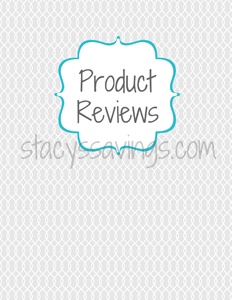

Next, I have two subsections for Sponsored Posts and Product Reviews. Each of these subsections has a cover page in a page protector, and I keep track of what posts & items I get paid for on the table sheets behind them. This way, I don’t forget about something & I can follow up if I haven’t received payment yet.
To Do List

After the Affiliate Section comes my To Do List for the blog. Each week, I sit down and schedule out what posts I want to publish when. I also keep a list of other post ideas I want to do, or items that need to get done that week. Below that, I have blank space for notes. I use this to remind myself to do things like “edit blog binder photos”. Things like that.
Calendar Section

The Calendar Section is behind the To Do List. I have 12 blank monthly calendars and a pack of monthly tabs in this section. I use the calendars to plan out posts or jot down due dates so I can see the whole month at a glance.
Stats & Goals Section

This next section is probably the most important to me! It’s where I keep track of my Stats & Goals for each week. Every Monday, I sit down and fill out the stats as well as tally up earnings from all of my income sources. There is a line item for each social media account. Page Views are tracked on the “Other” line , but I don’t really write that down because it’s all in Google Analytics anytime I want to look. I break out earnings for the week by income source in the Notes section. The top right has a to do checklist for website maintenance items that I want to tackle that week. I keep the old sheets behind an Archive tab, so I can look back and check the growth. I love this section! It keeps me going and motivated!
Wishlist Section

After the Weekly Stats & Goals Section, I have a section dedicated to my Blog Wishlist. This section has a blank page where I can jot down everything I want to accomplish during the year. As I complete the items, I cross them off. I can write anything here, and some goals are lofty, but its been fun to cross off things that I thought were crazy a few months ago. That’s all thanks to you! So Thanks!
Giveaways Section

The Giveaways Section is next. I have a table sheet here where I jot down all of the Giveaways that I sign up for & bring to you guys. This way, I don’t forget that I signed up for something, or forget what the prize is.
The next section is just an “Ideas” section. I just have loose Notebook Paper here, and I use it for notes from conference calls, or to jot down ideas for new blog posts.
The last two sections are for receipts & any Gift Cards that I sometimes receive as payment. I have a baseball card holder page there for the gift cards to keep them organized.
I use my label maker to create all of the label tabs. It just makes the binder look more polished and neat! I’m a stickler for that!
That’s it for the Blog & Small Business Binder. Again, you could adapt this to any Small Business that you run. It’s very helpful to have all of this stuff together during Tax Time, and I really love the weekly status reports that I do. That’s probably my favorite thing! I can see exactly how my blog has grown (or not) each week in just 15 minutes.
Printables

I’m attaching my Printables here for you to download for FREE! These are non-editable PDF Printables. That’s why they are FREE! I do have some conditions of their use: These printables were created by me under a creative commons license. You may use these for your personal use to create your own House Binders, but please do not sell them or use them for any commercial reason. Enjoy!
Cover Page
Information Page
Blog Accounts Page
Paid Posts Cover Page
Product Reviews Cover Page
Paid Posts & Product Reviews
To Do List
Calendar
Blog Stats & Goals Printable
Affiliate Info
Blog Wishlist
Giveaways
What do you think about the Blog & Small Business Binder? Anything you would do differently? Do you think this would help you get organized and stay on top of things? Do you like the printables? Tell us in the comments! If you like this post, please Pin it to Pinterest!
Check out the entire Organize Your Life With Binders Series!
Coming soon: Remodel Binder (New), Pool/House Binder (New), Kid Binder, Manual Binders & File Box!
Don’t forget to follow me on Instagram for the latest budget-friendly tips for DIY, Home Decor & Discount Shopping!

AIEDA HARRIS says
I would like to receive the free business binder if it is still available. Thsnks
Stacy says
Hi Aieda!
The free printables are available in this blog post. You make your own binder. I’ve provided affiliate links to the binders that I recommend in the post for you.
Thanks for checking out the blog!
~Stacy
Crystal Aldrich says
Do you think you will do one for Medical, Family, Arts & Crafts, or Travel? I will be using your site to start to get me better organized because I want to open up my own small business soon but need to be organized first. Keep up the awesome job.
Stacy says
Thanks!
I do have a couple of those on my list for 2019. Specifically, I’m working on a Special Needs Set for Medical, IEP, and Grade Level. I also have a few more on my list for 2019, including a Gardening Binder & a Holiday Binder! Stay Tuned!
Thanks for stopping by!
~Stacy
Crystal Aldrich says
What software do you use when making the binder spine and what size. would love to do them in a rainbow color. Tried using Avery.com but they came out to small. Any idea will help. Thank you again Stacy.
Thanks
Crystal
Stacy says
Hello!
I don’t use anything special, just Word or Google Docs. I think the font size is around 46 or 48. I print it on label paper and cut it to fit the insert that comes with the binder. That’s it!
Good Luck with your binders & thank you for the question!
Stacy
saegan anderson says
this is a great post for someone who is interested in starting a blog. thanks for the freebie downloads
zee says
amazing ideas !!!! I actually did downloaded your saving money giveaway chart I guess that’s how you call it sorry !! and i will apply it soon in my life so really thank you ♥♥♥
Bernice says
I came across your blog while scouring the Internet for a budget and meal planning template and yours look awesome! However, the only two I am unable to view are these two! Is there something wrong with the link or is it “user error”?
Stacy says
Thank you! Which two are you having trouble with? I can see all of them.
Natalie says
I have the same problem – when I click on the {Budget Binder} link, I get a “404 Error – the page you are looking for no longer exists” message.
Stacy says
That’s weird! When I click on the links in the 1st paragraph (I’m assuming that’s the budget binder link you’re referring to), it takes me to the page. This is the link: https://www.stacyssavings.com/getting-organized-budget-binder/
If you could email me & help me figure it out, I’d really appreciate it! stacy at stacyssavings.com Thanks!
Stacy says
Ok, I think I’ve fixed it. I was able to recreate the problem on Firefox. See if it works now. It may be because I’m “republishing” the post tonight, so it could be resolved then as well. Thanks!
Kay McCoy says
The Blog Wishlist is still showing the Affiliate section instead. Anyway to get this corrected? Thanks!
Stacy says
I’m so sorry about that. Try it now!
~Stacy
Jaclyn says
It’s good to get a fresh way of lokniog at it.
Ash L. says
Thanks for posting this. Great idea for organizing.
David Smith says
These look like they will be really useful. I’m going to print at least some of them to help out in keeping myself somewhat organized with my blog. I have a hard time with my memory anyway because of all of the pain meds and this will really help out along with my outlook calendar that I already use. Thank you very much for making these available to all of us.
Kay McCoy says
The link to Blog Wishlist shows the printout for Affiliate Info. Is it possible to get the lin to the Blog Whishlist print out? Love your binder series!! Thanks!
Cahley Tod-Tims says
Good for you I would love to get motivated to be this organized!
Jackie Jernigan says
Love this idea. I’m going back to look at your other binder ideas too! Thxs
Namrata says
I need to get organized! great ideas
Lydia says
Great idea!
Orsi says
These are excellent ideas to organize things 🙂 I find myself having a better overview about everything if it’s on paper, so I will definitely use some tips from here, thank you!
Natalie says
Definitely need to do some organizing!! This is a great idea. Thank you!